Apps & Programs / TI-84 Evo
TI-84 Evo Math Programs
Download math programs or send them straight to your TI-84 Evo.
Have a TI-84 Plus CE? Go to CE math programs →
Connect your calculator
Use a computer with a supported browser to send programs directly.
How to install and open a program
- Connect your Evo to your computer with a USB cable and turn it on.
- Click Send to Calculator beside the program you want, then select your calculator when the browser asks.
- On the Evo, press prgm and select TI-Basic. Select the program's calculator name, press enter to put it on the home screen, then press enter again to run it.
You can also download the file and transfer it with TI Connect Evo.
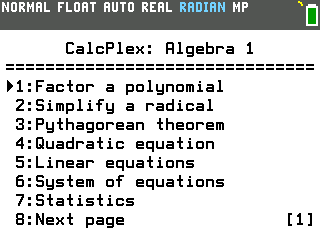
Algebra 1 Suite
Work through algebra problems with tools for systems, sequences and more.
By CalcPlex · ALGEBRA1
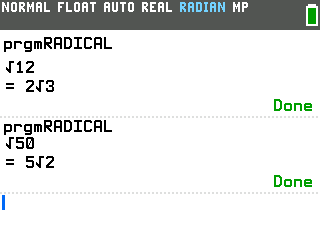
Radical Simplifier
Simplify square roots into exact answers, including imaginary roots.
By CalcPlex · RADICAL
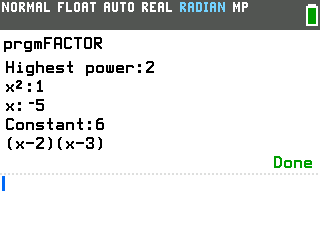
Polynomial Factoring
Find rational factors of a polynomial from its coefficients.
By CalcPlex · FACTOR
Need help? [email protected]